
CONSIS Advanced Inventory Management Software
Save time. Save Money.
CONSIS A.I.M.S. simplifies your ordering process, integrates with PharmX and when filling CONSIS with stock can match the order to your invoice. It also combines several of the standard Navigator reports to form “Advisories” that manage the machine efficiency. It’s just like having a personalised CONSIS coach.

Save time. Save money.
Simplify your order process
Integrates with PharmX and when filling stock can mark items off invoices.
Know what to order and when
Proposes a stock order to fill CONSIS to your chosen 7, 10 or 14 days stockholding.
Get time back in your day
CONSIS orders can be done within 5 minutes with the click of a button and tracked through your PharmX account.
Improve your cash flow
Make sure you have the right stock, in the right quantity for your CONSIS, which helps manage your cash flow.

The story behind the Software Development
Over the years and across hundreds of sites the Willach team have amassed a wealth of knowledge in relation to stock management, in the context of automation. We have always invested into pharmacy training, 1-1 coaching and automation Health Checks where we have tried to teach as many people as possible the foundations of using automation to manage the machine – we wanted your staff to be empowered to make informed decisions.
After COVID we have observed a significant change in the pharmacy workforce and in particular higher levels of staff turnover. This was impacting machine efficiency, utilisation and more importantly cash flow! We were seeing machines which were exceptionally run, quickly decrease in efficiency with the change of one or two staff members and then see a team become frustrated.
Being a technology-based business, we wanted to see if we could take our knowledge and expertise and ‘teach’ software to replicate what is intuitive for us and have this available ‘on-hand’ in the pharmacy daily, helping you with some of the operational decision making.
Over an 18-month period we developed and refined the programming and are grateful for the support of pharmacies who became trial sites to provide us with the feedback to make improvements
Is my pharmacy eligible to sign up to CONSIS A.I.M.S?
Need to be on the full CONSIS Customer Care Program (Service and Maintenance Package)
CONSIS user interface software Navigator 6
PharmX account (we can check this for you)


How much does it cost?
The cost of the Advanced Inventory Management Software is $29 per week which is around 1 hour per week for a dispense tech and we are confident you will gain back that time in efficiency and stock gains.
AIMS is paid monthly in advance at $116, you can set this up as a recurring payment.
How do I get started?
- If you would like more information or wish to sign up to CONSIS A.I.M.S. speak to your regional manager (Mark Brown 0438 225 022, Mel Guise 0400 467 887, Janek Pendrakowski 0418 385 788
- You will need to sign up to the CONSIS A.I.M.S. program (terms and conditions)
- Start your 60 day free trial and at the end of this period you will be placed onto a monthly subscription.
- Nominate who in the pharmacy needs to be trained in the new software – they will receive 1-1 coaching to get you started. We will do a 30 day and a 60 day check in to see how you are tracking.
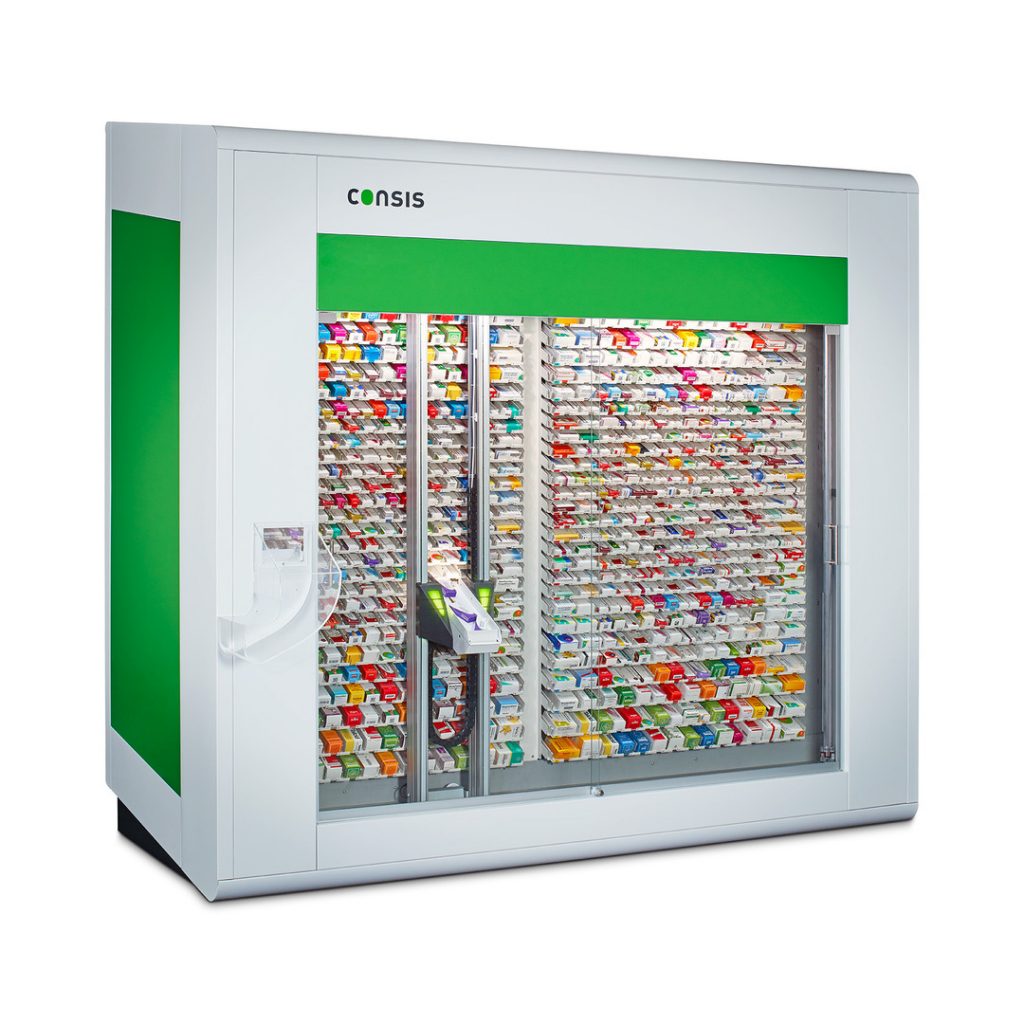
What is it and how does it work?
(These are the details for people who want to know the ins and outs)

Since introducing A.I.M.S., we’ve reduced our excess stock area by around a third. We even moved everything down to ground level — no more climbing or stretching for stock. Removing dead stock has freed up space and we’ve gained even more shelf space at the front of the dispensary. Our dispense techs have saved so much time now that they’re not refilling from the excess shelves every day.
Pharmacy Manager, Victoria

FAQs
Here are our most common FAQs
A.I.M.S. is flexible, if you decide you no longer want access, advise us in writing info@willach.com.au and we will cancel you subscription from the first day of the next month
1st day of each month – last day of the month; any changes made will always reflect the following month
We appreciate that any change can seem overwhelming which is why we offer 1-1 training for CONSIS Champions and the staff who undertake ordering. In addition to the initial training, we will be checking at 30 days and 60 days to see how the pharmacy is tracking. We will be developing a series of short videos as well.
Read our Understanding CONSIS shelves and channels for more information on packing shelves or watch our video.
AIMS does an inventory check of CONSIS, then checks each SKU through the PharmX portal to see what is available at your first line, second line and tertiary wholesalers. If your first line supplier does not have the stock, the system will order from a backup supplier.
A.I.M.S follows a structured process to ensure you are informed about unavailable drugs before and after placing an order:
- Before placing the order: When you create an order, A.I.M.S sends a request to the supplier.
On the preparation screen, you will see an overview of all the requested drugs.
To make it easier to identify items that cannot be ordered, there is an advisory filter that allows you to view only the drugs that will not be ordered due to missing reorder numbers from the supplier. - After placing the order:If a drug has a reorder number and was successfully ordered but is later found to be out of stock with the supplier, A.I.M.S will update the order history page to reflect this status
The machine is programmed to manage your stock levels and cash flows. There is no excess stock when ordering for 7, 10 or 14 days. The suggested reorders quantities are capped to prevent this. Excess stock will only be ordered on the bulk reorder quantities.
Note that the suggested quantities can be adjusted on a review page, and the user can scroll through all SKUs to adjust the supplier or quantity. Excess stock can be ordered on the 7, 10, 14 day function if the user manually toggles to increase the quantities.
The landing page and its Advisories can be accessed and acted upon anytime. We know pharmacies are busy, so find the Advisory that is slowing or impacting your workflow the most. Little by little, your improvements will reward you in time, savings and head space.
Your PBS bulk orders won’t be affected, as AIMS integrates well into existing workflows. Our trial sites continued to do PBS bulk orders at the start of the month, with the excess stock stored in the pharmacy. Using the low fuel gauge Advisory, users filled the machine once a week for the top lines, before using the AIMS Reorder to top up all other medications.
All suppliers linked to your PharmX account are listed, even those that are no longer preferred.
You can create different account numbers for a supplier, mainly to separate the order. Eg into Front of shop, CONSIS only and non-robotic lines.
Yes. All you need to do is create a CONSIS only account with PharmX. When prepping an order on AIMS, select the account number that you have set for CONSIS stock. When the delivery arrives, CONSIS stock will not be mixed in with your retail stock. Each group will have their own totes.
If you have electronic invoicing, there is a high likelihood you have a PharmX account. If you are unsure, we will be able to assist by verifying with PharmX.
Each pharmacy will have different preferences for managing excess stock. Using AIMS reordering function (7, 10 or 14 days’ stock) the suggested quantities will be capped to the quantity that can fit the machine. Eg if an order for 10 days’ is generated, and a drug can only fit 7 days’ stock at capacity, the 3 days of excess will not be ordered unless the user manually toggles an increase in quantity at the review stage.
What happens if Excess stock is required in the pharmacy?
- If Excess stock is required, prepare an order for 30 days’ supply for the top 25 or 50 drugs. Use the quantities here to guide your PBS bulk order.
– Store this excess stock in the pharmacy. When refilling, use AIMS to check the ‘Low Fuel’ Advisory to find drugs that are running low. - Fill CONSIS up with PBS bulk order items first (once or twice a week), before generating your weekly AIMS order for 7, 10 or 14 days.